MEPCO Smart App, Power Smart App and MEPCO Light: Which MEPCO Bill App to Use (2026)
If you are a MEPCO consumer, you may need to check and pay your MEPCO bill online, apply for a new connection, or see the load-shedding schedule every day. You can do all of this using the MEPCO app.
But there is a twist. MEPCO does not have only one app for its consumers. It has three: the MEPCO Smart App, the Power Smart App, and MEPCO Light. Each app has slightly different features. So if you install the wrong one, you can miss the feature you actually needed.
In this article you will learn how these three apps are different from each other, and which one you should download for your needs.
What Are the MEPCO Bill Apps?
MEPCO Bill apps are the online and official applications which help the MEPCO consumers access MEPCO services online. These applications are built by Power Information Technology Company (PITC).
With these applications you do not need to go to the physical offices of MEPCO for your tasks. You can just open these apps, and do your tasks like checking your bill, submitting and tracking complaints, submitting and tracking new connection applications etc.
Following are the things that you can manage using each of these MEPCO apps:
- MEPCO Smart app will help you manage the complete electricity bill processes like checking bills, submitting new connection requests, and much more.
- Power Smart App is built mainly to help MEPCO and other DISCO consumers submit their own meter readings, which is also called Apna Meter Apni Reading.
- MEPCO Light has less features as compared to MEPCO Smart App. It mainly helps you in checking your MEPCO bill and load-shedding schedule.
MEPCO Smart App vs Power Smart App vs MEPCO Light
The following table will help you better understand the features of each of these apps in detail:
Features | MEPCO Smart App | Power Smart App | MEPCO Light |
Made By | PITC (official) | PITC (official) | PITC (official) |
Available on | Android + iPhone | Android + iPhone | Android Only |
Works for | MEPCO only | All companies (MEPCO, LESCO, GEPCO, FESCO and more) | MEPCO only |
Bill Check & Payment | Yes | Yes | Yes |
Bill & Bill Status on Homescreen | Yes | No | No |
Multiple Languages | Yes | No | No |
Track Units Consumption | Yes | No | No |
Payment History | Yes | No | No |
Self-Meter Reading | Yes | Yes | No |
Track Daily/Monthly Electricity Usage | Yes | No | No |
Load-Shedding Schedule | Yes | No | Yes |
New Connection | Yes | Yes | Yes |
Track New Connection | Yes | Yes | Yes |
Update Tenant CNIC | Yes | Yes | Yes |
Track Tenant CNIC | No | Yes | No |
Change Attributes (Owner Name, Tariff, Load) | Yes | Yes | Yes |
Meter Change Request | No | Yes | No |
Due Date Extension | Yes | Yes | No |
Installment Request | No | Yes | No |
Estimate Bill | Yes | Yes | No |
Duplicate Bill | Yes | Yes | Yes |
Submit and Track Complaints | Yes | Yes | Yes |
CNIC & Mobile Number Registration | No | No | Yes |
Smart Energy Advisor | Yes | No | No |
Multi-Meter Support | Yes | No | No |
Best For | Your full MEPCO account management | Self-meter reading & broader electricity services | Simple bill information & MEPCO users |
Which MEPCO App Should You Choose?
From the above given table it is obvious that the best application for all the MEPCO users is MEPCO Smart App. Because MEPCO Smart App covers the most features. Power Smart App and MEPCO Light have less features.
Power Smart App becomes a choice in only one condition when you want to access the services of multiple DISCOs like MEPCO, LESCO, PEPCO etc. For people who are MEPCO users, the best app is MEPCO Smart App.
In the following we are presenting all the features of each of these apps. These feature details will help you choose the best application for yourself.
MEPCO Smart App: Features and How to Use It
MEPCO Smart App is the best tool for MEPCO users. Once you login to your MEPCO Smart App Account, you see four sections: Home, Smart View, Service, and Complaints.
Home – MEPCO Smart App
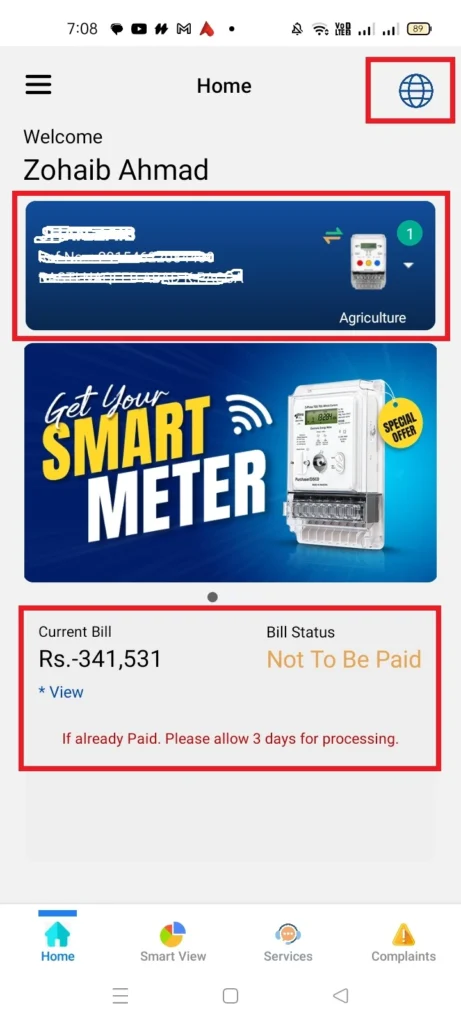
On the homepage, the current bill and its status (paid or not) are presented. You also get different language options, which are English, Urdu, Punjabi, Saraiki, Sindhi, Balochi, and Pashto.
Smart View – MEPCO Smart App
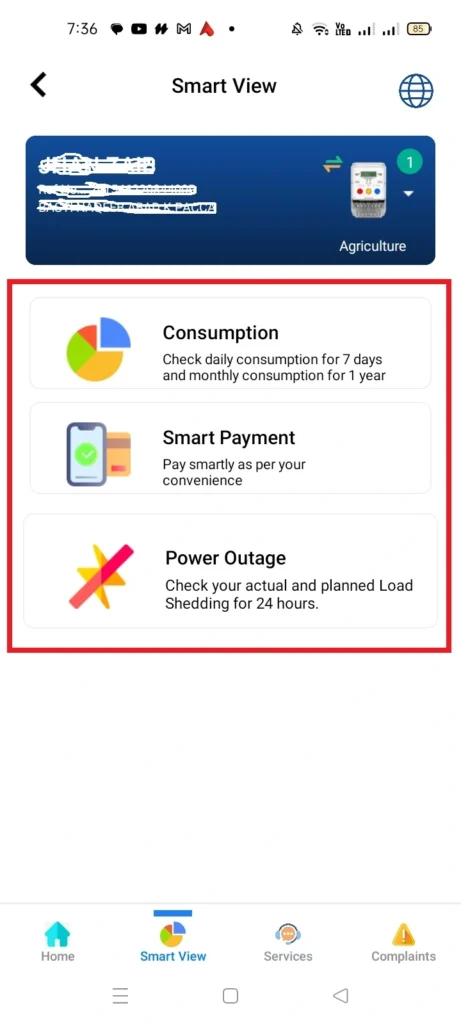
In the Smart View section, the users get three features: Consumption, Smart Payment, and Power Outage. In the following, each of these features is presented:
Consumption
The Consumption option shows you the daily unit consumption for each week, and it shows monthly units consumption for each year.
Smart Payment
In this option, the MEPCO Bill payment history is presented. You do not get the option of paying your electricity bill in this section.
Power Outage
The Power Outage option helps you check the planned load shedding for the day. You just have to enter your 14-digit reference number and click the “Check” button.
Services – MEPCO Smart App
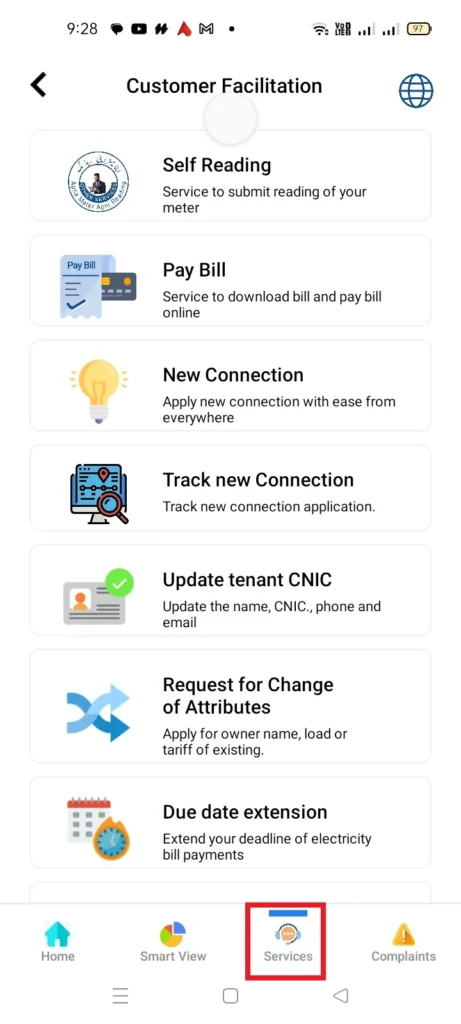
In the services section of MEPCO Smart App the users can access the following services:
- Self-Reading
- Pay Bill
- New Connection
- Track New Connection
- Update Tenant CNIC
- Request for Change of Attributes
- Due Date Extension
Complaints – MEPCO Smart App
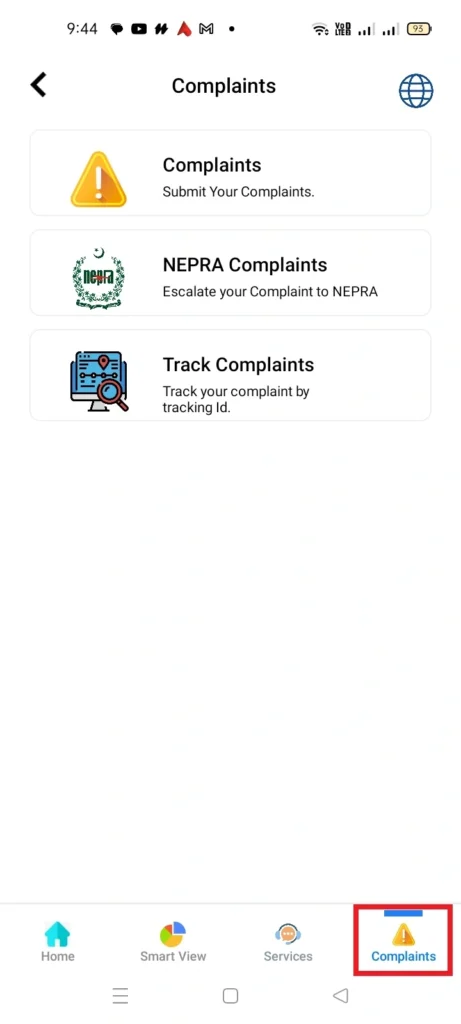
In the Complaints section, the MEPCO users get three options, which are Complaints, NEPRA Complaints, and Track Complaints.
Complaints
Using the complaints option, the users can submit their complaints to MEPCO.
NEPRA Complaints
If you do not get any reply to your complaints, you can escalate those complaints to NEPRA by using this option.
Track Complaints
Track Complaints option helps you to track your complaints by using the tracking ID.
Smart Energy Advisor and Multi-Meter Support – MEPCO Smart App
Very few people know about these two features of MEPCO Smart App, and other MEPCO apps do not have these features. The first one is Smart Energy Advisor, and the other is multi-meter support.
The Smart Energy Advisor feature of MEPCO Smart App helps you set a limit for your monthly units consumption. So the app warns you at different stages so that you can control your electricity bill.
And the Multi-Meter Support feature helps you add more than one reference number to the same account which helps you check your multiple electricity connections with MEPCO at a single platform.
How to Create an Account on MEPCO Smart App
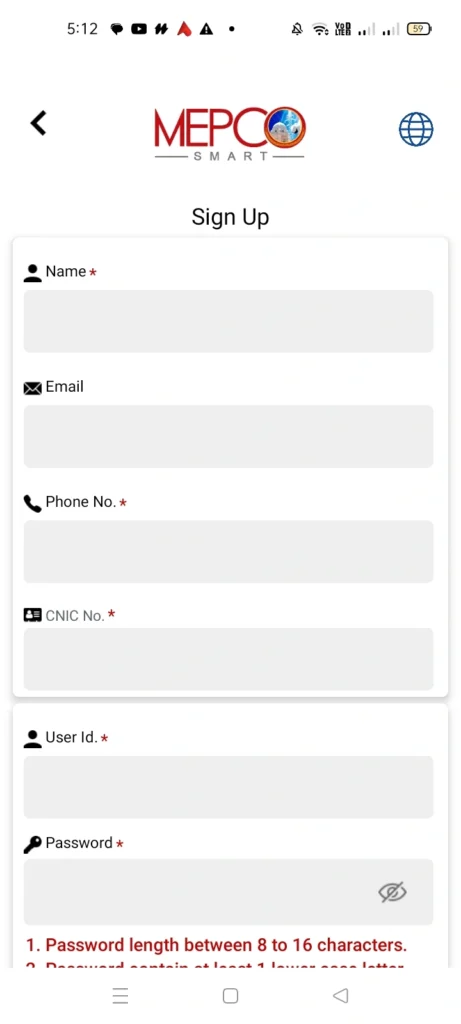
To create an account on MEPCO Smart App, you need to enter the following credentials:
- Name
- Phone No.
- CNIC No.
- User ID
- Password
Once you have entered these credentials, click the “Sign Up” button.
How to Login to Your MEPCO Smart App Account
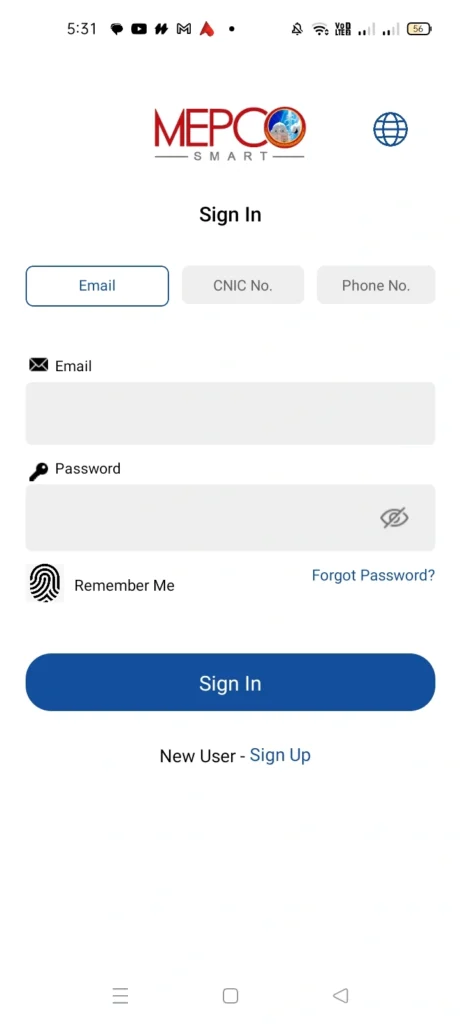
There are three methods that you can choose to login to your MEPCO Smart App. The following are these methods:
- Email: In this method, you’ll provide the Email and Password to login.
- CNIC No.: In this method, you’ll provide the CNIC No. and Password to login.
- Phone No.: In this method, you’ll provide the Phone No. and Password to login.
Power Smart App: Apna Meter Apni Reading (Self Reading)
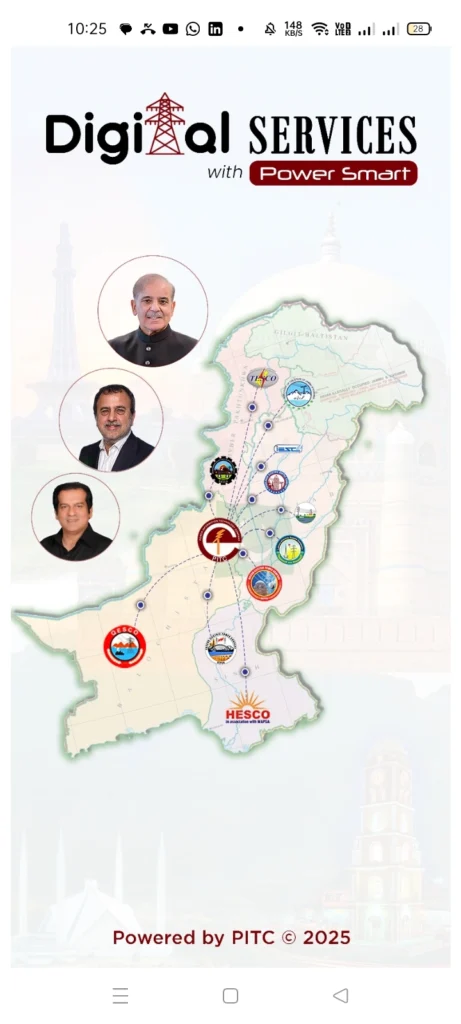
Power Smart App is also built by PITC. But this application is not only for MEPCO, it is developed for all power companies in Pakistan like MEPCO, LESCO, GEPCO, FESCO etc.
Once you are signed in to your Power Smart App, you see four sections, which are Self-Reading, Other Services, Complaints, and Duplicate Bill. In the following, we are discussing each of these sections in detail:
Self Reading – Power Smart App
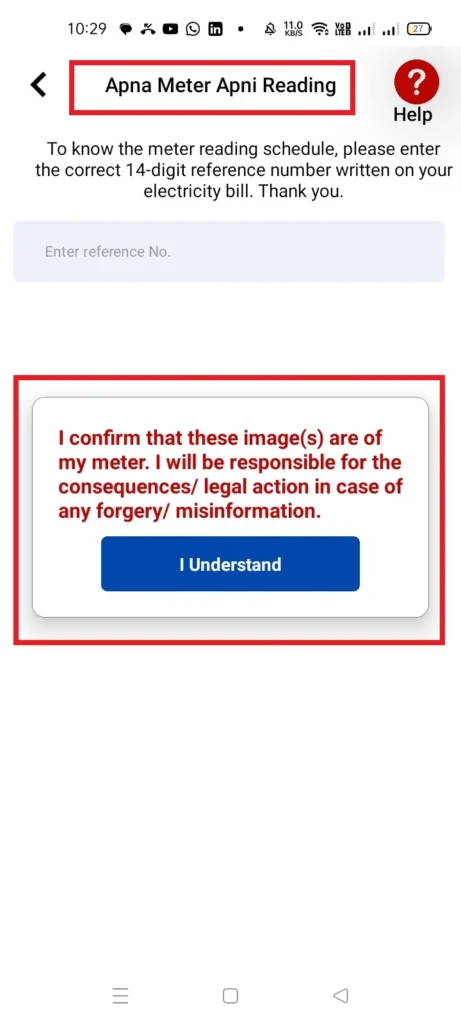
This feature of Power Smart App is also called Apna Meter Apni Reading. In the self reading section the users get the option to submit their meter reading and upload the image of their own meter as proof. But if you give any wrong information, legal action will be taken against you.
Other Services – Power Smart App
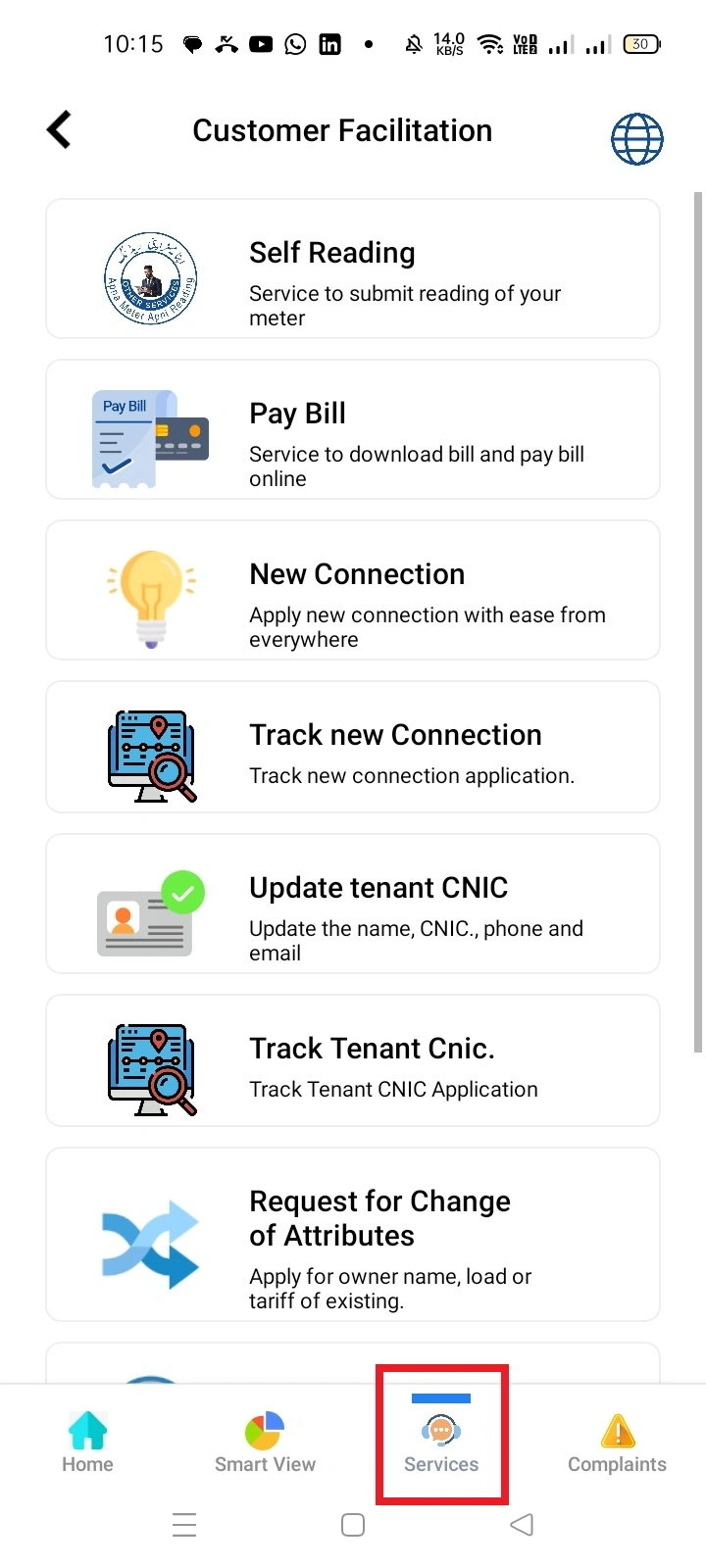
In the Other Services section, you’ll see all the services which are provided to you in Power Smart App. These services include:
- Self Reading
- Pay Bill
- New Connection
- Track New Connection
- Update tenant CNIC
- Track Tenant CNIC
- Request for Change of Attributes like Owner Name, Tariff, or Load
- Meter Change Request
- Due Date Extension
- Request for Installment
- Estimate Bill
Complaints – Power Smart App
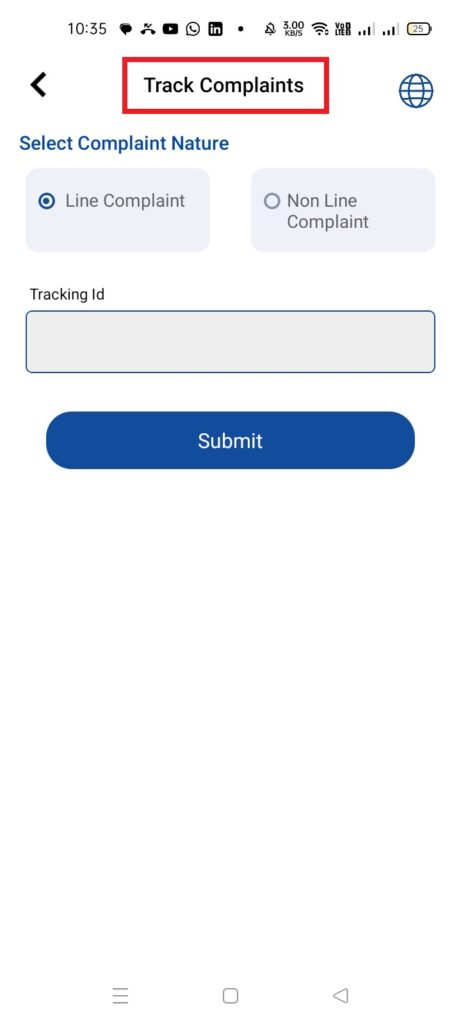
In the Complaints section, the Power Smart App allows the users to track their complaint by putting in the tracking ID.
Duplicate Bill – Power Smart App
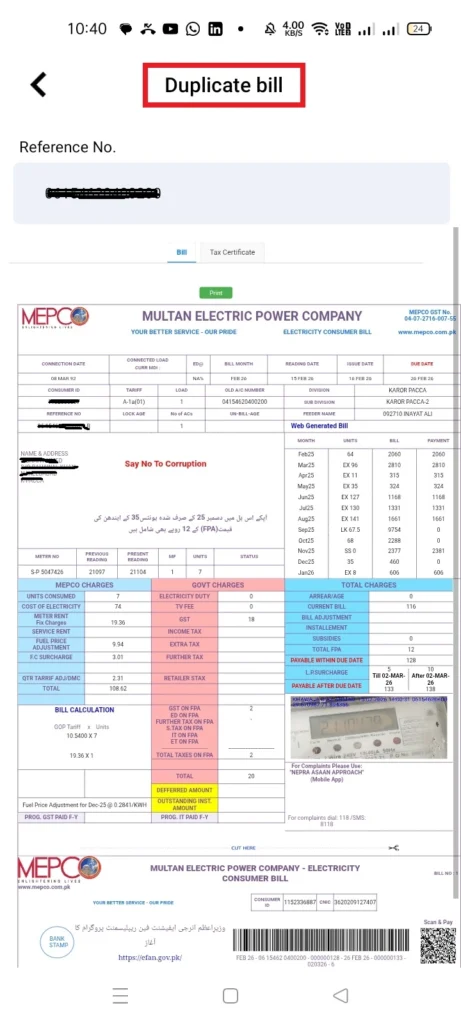
In the Duplicate Bill section of the Power Smart App the users enter their 14-digit reference number and their monthly electricity bill is presented to them. The users can print the duplicate copy of that bill by clicking the “Print” button.
How to Create an Account on Power Smart App
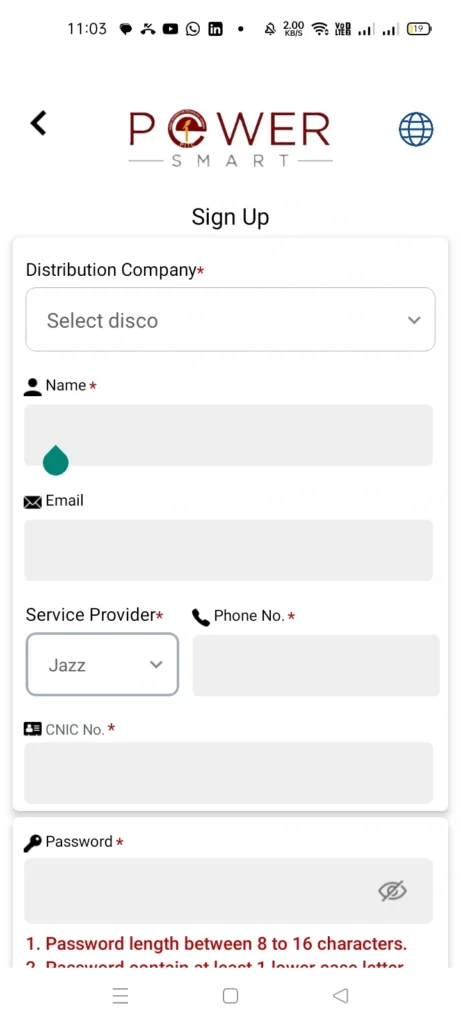
To access the above mentioned features of Power Smart App, you need to sign up to it. To sign up, you’ll have to provide the following details:
- Select DISCO
- Name
- Phone Number
- CNIC Number
- Password
Once you have given this information, click the “Sign Up” button.
How to Log in to Your Power Smart App
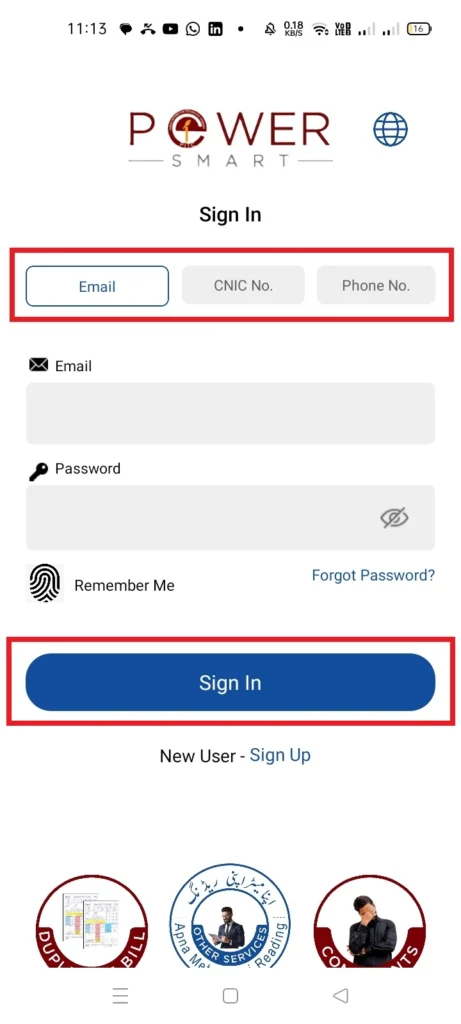
There are three methods that you can choose to login to your Power Smart App. The following are these methods:
- Email: In this method, you’ll provide the Email and Password to login.
- CNIC No.: In this method, you’ll provide the CNIC No. and Password to login.
- Phone No.: In this method, you’ll provide the Phone No. and Password to login.
MEPCO Light: Bill and Load-Shedding Schedule
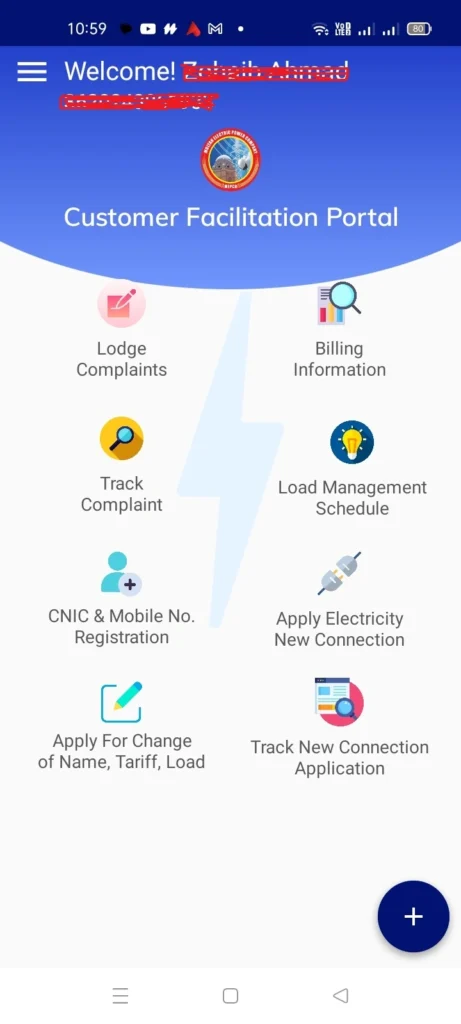
MEPCO Light is an official application which is designed by PITC for MEPCO consumers. This application is available for only the android version, it’s not available for iOS devices.
Once you are on the MEPCO Light app dashboard, you’ll see the following sections on it:
- Lodge Complaints
- Billing Information
- Track Complaint
- Load Management Schedule
- CNIC & Mobile Number Registration
- Apply Electricity New Connection
- Apply for Change of Name, Tariff, Load
- Track New Connection Application
How to Create an account on MEPCO Light
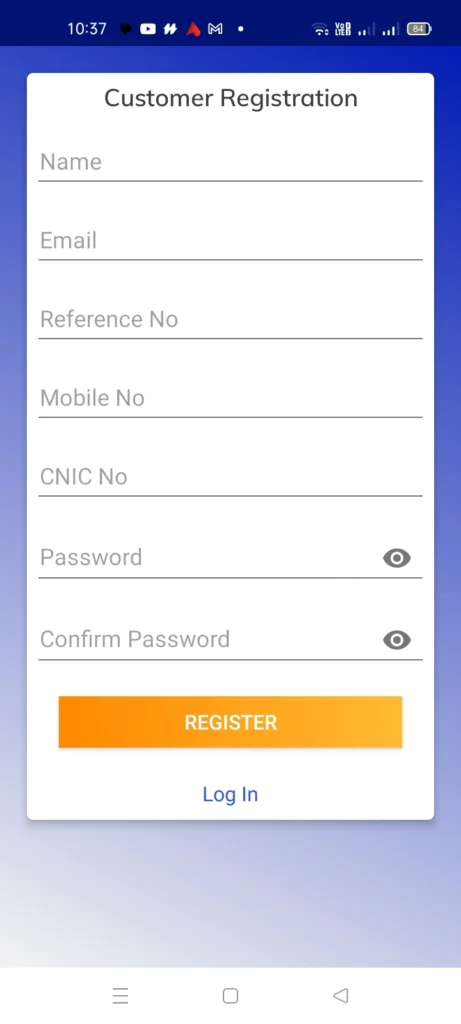
To create an account on MEPCO Light, you enter the following credentials:
- Name
- Reference No.
- Mobile No.
- CNIC No.
- Password
- Confirm Password
Once you have entered these details, click the “Register” button, and your Account will be created.
How Login to Your MEPCO Light Account
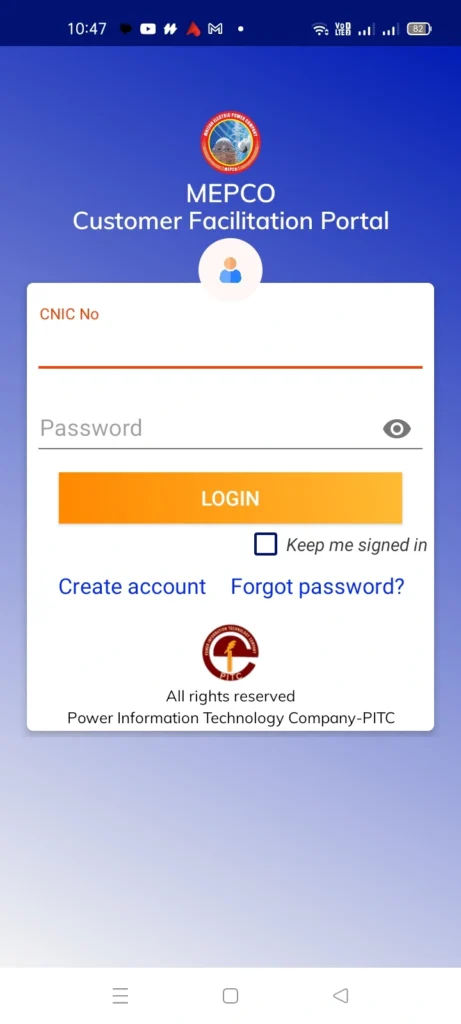
To login to your MEPCO Light account, you only need to enter your CNIC number and password. Once you have entered these credentials, click the “Login” button, and you’ll be logged in.
How to Download the MEPCO Apps (Android and iPhone)
As we have already discussed all features of the three applications that help you manage your electricity bill related things online, so now you can easily decide which application is the best for you to download.
In the following, we are providing you official download links for each application:
Download MEPCO Smart App
Download Power Smart App
Download MEPCO Light
FAQs
Conclusion
All of these three MEPCO applications are official and are made by the same company Power Information Technology Company (PITC). These applications are completely free of cost so that everyone can access them.
Moreover, if you are still unable to decide which is the best application, let me tell you. The best app for MEPCO consumers is MEPCO Smart app because it provides you with the maximum features, and it’s available for both Android and iOS devices.
You can download Power Smart App as well if you want to access the services of multiple Power Distribution Companies (DISCOs). The MEPCO Light app is the least recommended because it has the least features. In the end, the choice is yours to make.

Mian Ansaar Mahmood is an energy sector writer and digital content creator based in Pakistan, specializing in WAPDA utility services, electricity billing systems, and consumer guidance. With years of experience covering MEPCO, LESCO, and other DISCOs, he helps millions of Pakistani households understand their electricity bills, avoid overcharging, and navigate online payment systems with ease.